
The Bid.cars Toolbox is a Chrome extension that adds search management features directly to the bid.cars website. It solves the problem of repetitive vehicle evaluation by letting you filter out cars you already rejected, add persistent notes, and track your viewed listings.
The Problem: Repetitive Search Tasks
Searching for a vehicle on auction sites like bid.cars often requires evaluating hundreds of listings. This creates three specific problems:
- Re-evaluating rejected vehicles: You repeatedly click on cars you previously decided to skip.
- Context loss: You save a vehicle but forget specific details, like a damaged panel in photo 12 or a missing key.
- Hidden specifications: Identifying options like battery size or trim level requires opening individual listing pages.
The Toolbox attaches localized state to each vehicle, storing your decisions locally.
Features
1. Interest Ratings and Filtering
The extension adds a 3-level segmented control to every vehicle card: Hot, Maybe, and Skip.
When you mark a car as “Skip,” the global filter bar hides it from your search results. This removes visual noise, leaving only the vehicles you want to evaluate.
2. Active View Tracking
The Toolbox tracks tab visibility. If you view a car’s detail page or photo gallery for five continuous seconds, the extension adds a “Viewed” badge to that vehicle.
You can toggle the “Hide Viewed” filter on search pages to view only new inventory.
3. Custom Notes and Native Interception
The extension intercepts clicks on the native bid.cars “Like” button and automatically sets the vehicle’s interest level to “Hot”.
You can attach text notes directly to a listing. If you identify structural damage in a photo, type it into a note. The extension displays this note whenever you see that vehicle in future searches.
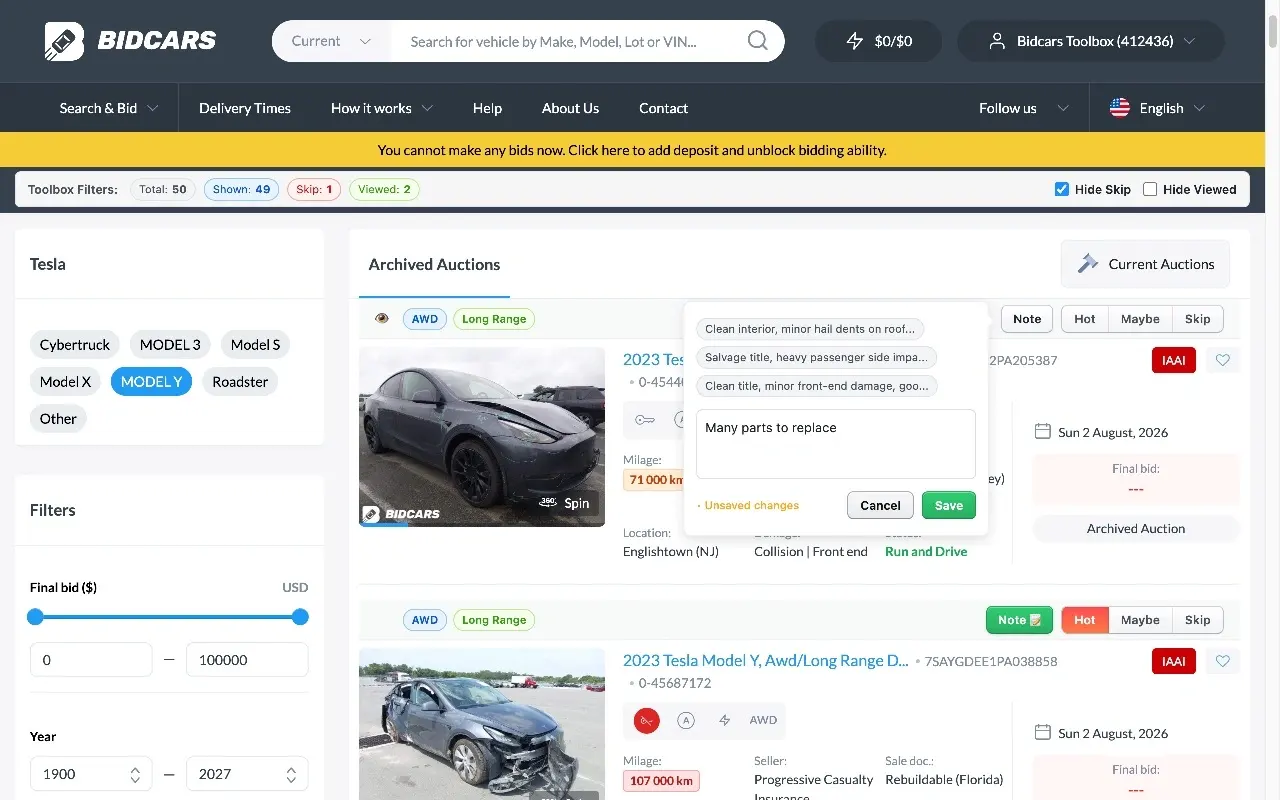
Bid.cars search results enhanced with interest filters, custom notes, and vehicle tags.
4. Saved Lots Dashboard
The extension aggregates your “Hot” lots, “Maybe” lots, and custom notes into a separate dashboard.
The dashboard displays vehicle thumbnails, auction end dates, and your notes. It automatically separates active auctions from past auctions.
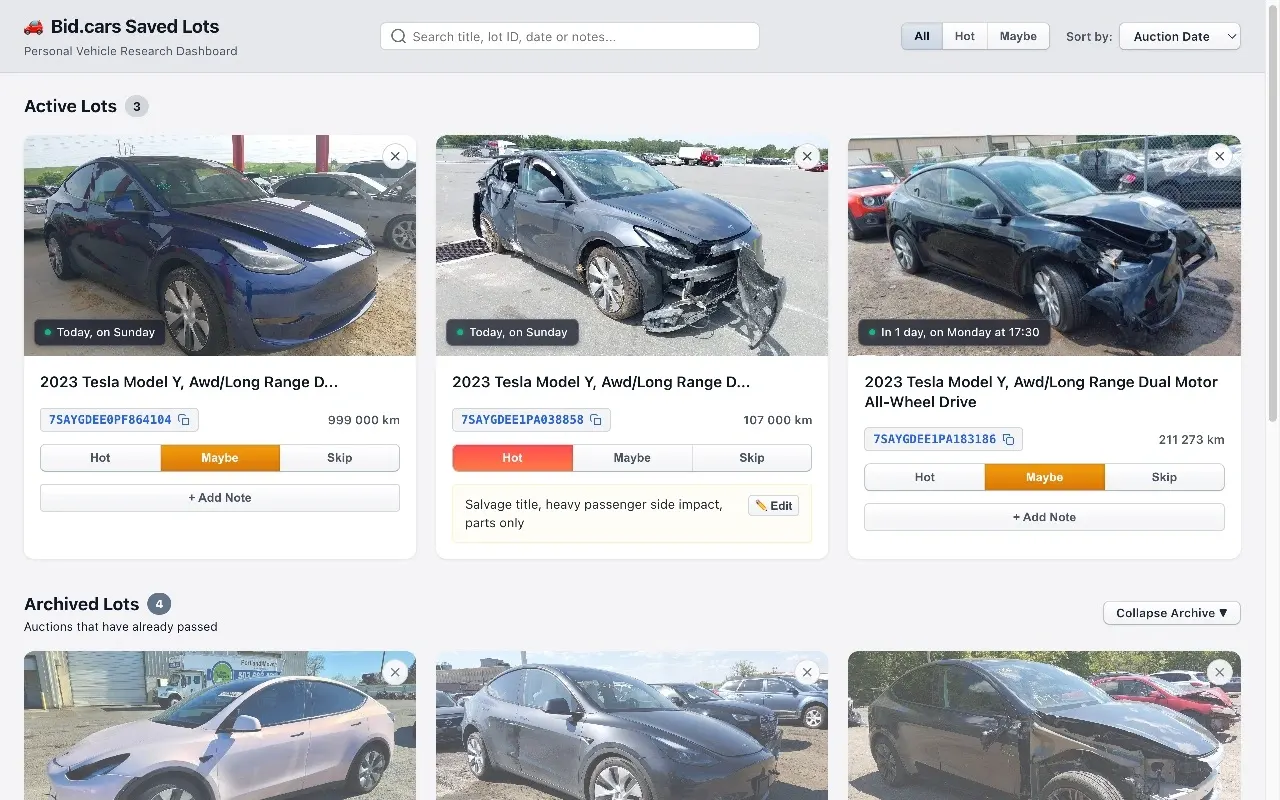
The Saved Lots dashboard organizing active and archived auction listings with user notes.
Local Data Storage and Privacy
The extension operates entirely on your local machine using browser local storage.
- No financial access: The extension cannot access your bidding account, payment methods, or identity. It cannot place bids.
- No external databases: All notes, hidden lots, and ratings stay on your computer. The extension does not track or transmit your search history.
- Chrome Web Store verified: Google reviewed the extension for compliance with their security and privacy standards.